


|
Name |
Sam Helper |
|---|---|
|
Category |
Tools |
|
Developer |
Helper Company |
| Last version | 3.0 |
|
Updated |
|
|
Compatible with |
Android 5.0+ |
Introduction to Sam Helper
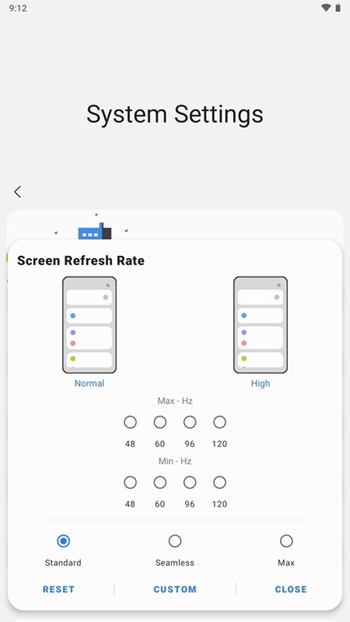
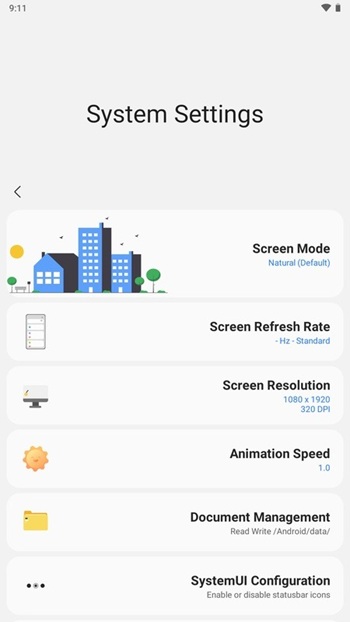
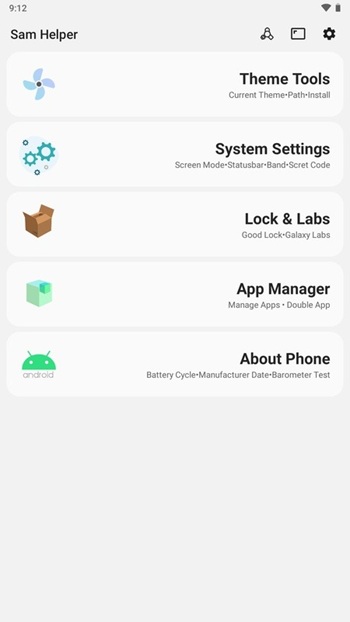
Sam Helper is a specialized mobile utility app made with Samsung Android users in mind. Instead of being a casual tool with just a couple of basic tweaks, it functions like a behind-the-scenes power manager—tuning your phone's brain, customizing your screen, and keeping an eye on your system health in real-time. It’s not a game, it’s not a launcher—it’s a performance-savvy assistant that sticks close to your daily usage flow and makes your phone way more efficient, organized, and actually fun to use.
Phones aren't slow because they're old. They’re slow because apps pile up, settings get messy, and the system starts dragging. Sam Helper fixes that vibe completely. One of its biggest draws? CPU optimization. It doesn't just show you what’s wrong—it actively fine-tunes how your phone thinks, shifts priorities to the apps you care about, and cuts down background clutter so your phone runs smoother. Think of it like digital coffee for your device.
Another huge plus is the way it handles network settings. Let’s be honest—Wi-Fi connections and mobile data can get real unpredictable. Sam Helper puts you in the driver’s seat with settings you can actually adjust based on what you’re doing—whether that’s binging videos, gaming, or just hopping between apps. Your data usage feels less random, and your speeds don’t take random dips.
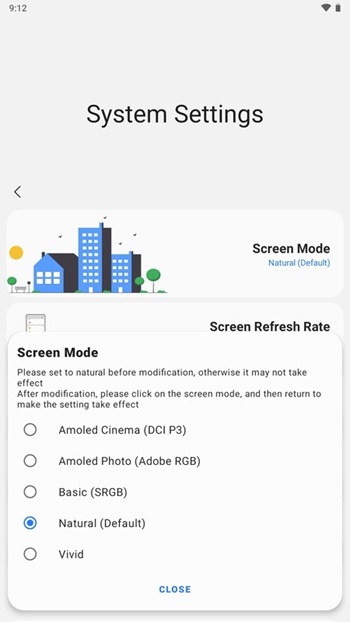
But it's not all just backend stuff. This app actually lets you play around with how your device looks and feels too. With its screen customization features, you get full control over themes, fonts, wallpapers—basically your entire aesthetic. It feels like your phone finally matches your personality, not just a preset.
Sam Helper also brings a dose of practicality that most apps overlook. It monitors battery, CPU temperature, and storage all in real time. So if your phone starts acting up, you’ll know exactly what’s causing it. No more guessing if it’s your apps, overheating, or a full storage situation. It gives you the receipts.
Security-wise, Sam Helper's not cutting corners. You’ve got options to lock down sensitive apps and keep your private info safe from nosy hands or accidental taps. Advanced encryption tools are built in, which adds a layer of calm when it comes to your digital privacy.
This app isn't necessarily plug-and-play for everyone, though. It's very tailored to Samsung devices and packs in a lot of features upfront. There’s a bit of a learning curve, especially if you're not used to tweaking technical settings. But once you get past the first-use confusion, it becomes a daily essential that works silently in the background.
FAQs Sam Helper
What is Sam Helper?
+
Sam Helper is a utility app built specifically for Samsung Android phones, offering advanced system optimization, screen personalization, and performance monitoring tools.
How does Sam Helper improve phone performance?
+
It manages CPU usage smartly, reduces background clutter, and lets users control network and battery settings to keep the device running efficiently.
Is Sam Helper safe to use on Samsung phones?
+
Yes, Sam Helper includes advanced security features like encryption and app-locking to protect user data while providing optimization tools.
Can Sam Helper be used on non-Samsung devices?
+
Sam Helper is primarily optimized for Samsung devices, and while it may install on others, features may not work as intended or may be limited.
Do I need technical knowledge to use Sam Helper APK?
+
The app has a lot of features, so there’s a short learning curve, but it’s designed with a simple interface that makes daily use easy for most users.
Discover More Interesting Apps
-

Theick.io
v0.4.8
29 MB
Updated -
Mod
Remote Mouse Pro
v5.306
63 MB
Updated -
Mod
TLS Tunnel
v7.2.6
27.95 Mb
Updated -
Ace Stream
v3.2.19.5
107.59 Mb
Updated -
90 FPS
v11.4
16.02 Mb
Updated -
Mod
Medix
v1.4.0
69.80 Mb
Updated -
Mod
Multi App
v2.7.0
37.47 Mb
Updated -
Sophon
v1.0.54.1
65.80 Mb
Updated -
Mod
SWAP - No ROOT
vv4.8.8
8.41 Mb
Updated -
Ultimate USB
v10.1.1
71.06 Mb
Updated










Share Your Thoughts